
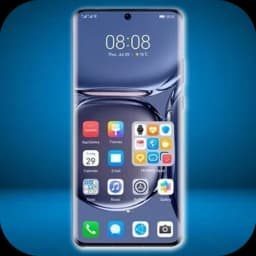
Screenshots
About Huawei HarmonyOS 3.0 Launcher
Transform your Android device with the Huawei HarmonyOS 3.0 Launcher, a streamlined launcher that brings the elegance and efficiency of HarmonyOS to your phone. This launcher delivers a clean, intuitive home screen experience designed to help you organize apps and access features faster.
Customize your device layout to match your workflow. Arrange widgets, folders, and shortcuts in ways that make sense for how you work and play. The responsive interface adapts smoothly to your interactions, keeping navigation fluid and natural.
Built for Android 4.4 and newer devices, this launcher works across a wide range of phones, making it accessible whether you're upgrading or working with an older model. Install the Huawei HarmonyOS 3.0 Launcher today and experience a more refined approach to your Android home screen.
Pros & Cons
Pros
- Clean, intuitive home screen design reduces visual clutter
- Customizable widgets, folders, and shortcuts for personalized workflow
- Compatible with Android 4.4 and newer devices, broad device support
- Responsive interface with smooth, fluid navigation
Cons
- Replaces default launcher, may disrupt existing home screen setup
- Limited information on privacy permissions or data collection practices
- No mention of dark mode or theme customization options
- Dependent on third-party launcher—updates tied to developer schedule
Related Apps

AlienGUIse
Desktop themes and manager for Windows — transform your system with 5 futuristic designs.

SharpKeys
Remap keyboard keys to launch apps, media controls, and custom commands on Windows.

RocketDock
Desktop launcher for Windows — quick access dock with customizable icons and positioning.

Custom Resolution Utility (CRU)
Display resolution utility: Create custom resolutions for your monitor with precise refresh rate control.

Lagguy Wallpapers
Lagguy
4K & HD wallpapers for Android — minimal, abstract, nature, AMOLED designs with lifetime access

Lock Screen OS
Apps Genz
Customize your lock screen with widgets, photos, and notifications. Replace Android's default lock screen.
Latest Articles
7 best Adobe Acrobat Studio alternatives for desktop in 2026 (we tested all of them)
Jul 9, 2026

Best apps for AI task scheduling on desktop in 2026
Jul 9, 2026

Best apps for using Android as a second monitor in 2026 (we tested 8)
Jul 9, 2026
Best apps for chatting with PDFs on desktop in 2026 (we tested 8)
Jul 9, 2026

Best apps for desktop customization in 2026 (Windows, macOS, Linux)
Jul 9, 2026